AI workflows

Workflows that keep going when the plan changes.

Relay can wait, branch, pause, stop, or ask based on replies, meetings, CRM changes, signatures, billing events, and the rules you set.

Keep your CRMStart with one jobApprove what matters
01

Reply-aware

A customer response can pause the next message, update context, and route a new task before the sequence continues.

02

Approval-aware

Messages, record changes, pricing, publishing, and other consequential actions can wait with the exact consequence visible.

03

Recovery-aware

Retries, stop conditions, and completion history keep repeated work from becoming duplicate work.

The useful part

Delegate the job. Do not build the automation.

Describe the trigger, the tools involved, the decision points, and what a good result looks like. Relay prepares a controlled workflow you can inspect and test before it runs.
  • Works with Relay Revenue, HubSpot, and provider-ready CRM contracts
  • Stops follow-up when a reply or do-not-contact signal arrives
  • Keeps the source, approval, action, and result together
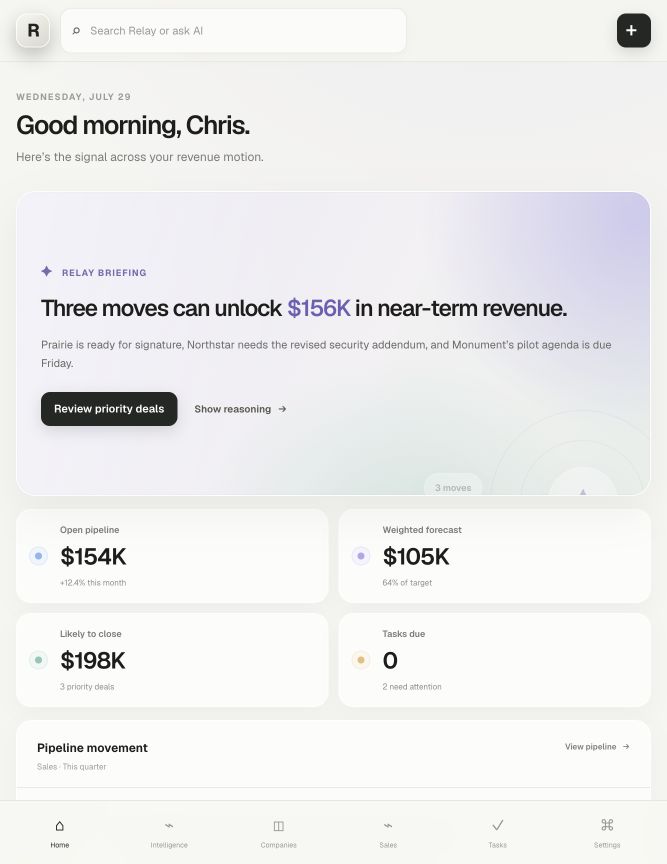
Relay briefing showing completed, prepared, and approval work
Real workflows

See the trigger, action, boundary, and result.

Relay is easiest to understand through the complete job, not a list of features.

01

Inbound lead qualification

Trigger
A qualified inquiry arrives.
Relay
Gather company context, check fit, prepare routing, and draft the first response.
Approval
Ask before the first external message.
Result
The right owner receives a complete, prioritized handoff.
02

Reply-aware follow-up

Trigger
A scheduled follow-up is approaching.
Relay
Check for replies, meetings, stage changes, and suppression signals before continuing.
Approval
Use the message policy chosen for the sequence.
Result
Relevant follow-up continues. Stale follow-up stops.
03

Customer onboarding

Trigger
A deal becomes a customer.
Relay
Create the onboarding plan, assign owners, prepare the welcome message, and track missing inputs.
Approval
Ask before contacting the customer or changing commercial terms.
Result
The handoff begins with owners, timing, and context already attached.
A controlled first week

Start with one job. Earn the next one.

01

Choose one recurring job and a real example.

02

Connect only the systems that job needs.

03

Set the approval boundary and run a controlled test.

Start small

What is the first job you want off your plate?

Connect only the tools that job needs. Set the approval boundary. See the result before expanding.